

What Should Buyers Verify Before Connecting Ophthalmic Devices to an EMR or PACS?
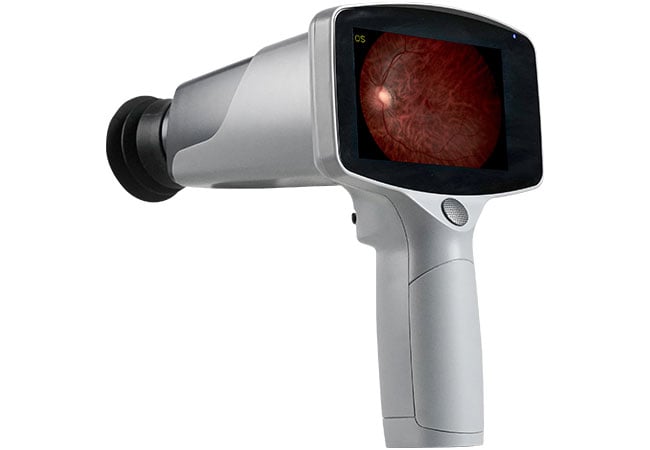
An image that exports successfully may still reach the wrong record or require manual work. We evaluate the complete data journey before approving an equipment connection.
Before connecting ophthalmic devices to an EMR or PACS, we verify the required data flow, exact device and software versions, interface documents, end-to-end tests, and support responsibilities. A file-export feature or general DICOM claim is not enough to approve the proposed workflow.
An electronic medical record, or EMR, and a picture archiving and communication system, or PACS, can serve different roles in a clinic. We start with what clinicians need to retrieve, not with a connection label on a quotation.
What Is the Difference Between File Export and Workflow Integration?
A demonstration can hide manual steps between saving an image and viewing it in a record. We make those steps visible in the purchasing brief.
File export produces an output that another system may need to import or interpret. Workflow integration also addresses patient matching, examination context, transfer, retrieval, and operational handling. We require evidence for the exact sequence the clinic expects to use.
Follow the information from capture to review
We ask the clinical team to describe a normal examination without assuming any particular technology. Where does the operator obtain the patient identity? How is the examination selected? Which images, measurements, or reports are needed afterward? Where should the reviewing clinician find them? The answers reveal whether a simple export is sufficient or whether the practice needs a more connected process.
A shared folder, a manually uploaded report, and a device-to-archive connection may each serve a defined purpose. The problem is describing them as interchangeable. If staff must rename files, select a record, or re-enter details, we include those actions in the workflow and assess how mistakes will be detected.
The official DICOM communication model, consulted in its 2026d edition, distinguishes network communication and media interchange. It also explains that conformance information must be specific enough to assess the functions for which interoperability can be expected. That supports a function-by-function review rather than a single yes-or-no label.
Define an acceptable result before buying
We describe the required outcome in clinical language. A clinician might need the correct examination attached to the correct record, with its relevant date, eye designation, and content available in the intended viewer. The specific requirements depend on the data being produced and the receiving application.
The buyer should approve a documented workflow, including any accepted manual steps. This makes limitations visible before staff depend on the connection. It also prevents a later disagreement about whether "integration" meant automatic record matching, a file export, or simply a network port.
| Stage | Buyer question | Evidence to request |
|---|---|---|
| Identity | How is the correct record selected? | Demonstrated identification flow |
| Capture | What data is produced? | Representative test output |
| Transfer | What happens without manual intervention? | Connection and processing record |
| Review | Can users find the intended content? | Receiving-system demonstration |
Which Interface and Conformance Documents Should Vendors Provide?
A generic brochure may describe a product family rather than the system being quoted. We request documents tied to the actual installation.
We ask for the device model, software version, applicable interface or DICOM conformance documents, supported data types, required options, and receiving-system requirements. Both sides of the proposed connection need review; one vendor's document cannot describe the entire installation.
Request a matched documentation set
We identify the instrument, acquisition software, any gateway or image-management application, and the destination system. Each component should have a named owner. When a connection depends on an optional module, the quotation should show that module rather than leaving its availability implied by a product image.
For a proposed DICOM connection, the technical team should compare what each implementation actually supports. We ask them to identify the functions and data formats required for this project, the relevant roles at each end, and any configuration limits. A broad declaration of compatibility cannot replace that review.
For a non-DICOM route, request the equivalent interface description. It may explain file formats, import behaviour, required application versions, or a supported connection service. The important point is that the document describes the intended output and the receiving system's handling of it. An image file that opens on a desktop does not demonstrate correct behaviour inside the clinical record.
Keep the purchasing claims narrow
We recommend an evidence matrix with separate rows for confirmed functions, optional functions, unsupported functions, and unresolved questions. A limitation can be acceptable if the team understands its effect and agrees on a workable process. An unresolved assumption is more difficult because nobody has accepted responsibility for it.
For equipment enquiries, our fundus camera and OCT pages identify relevant product categories. They do not establish a particular model's interface capabilities. We advise requesting written confirmation for the selected model and software revision before including connectivity in the purchase decision or hospital tender response.
| Document | Must identify | Reviewer |
|---|---|---|
| Device configuration | Model, software, options | Supplier and buyer |
| Interface description | Functions and supported content | Integration team |
| Destination requirements | Accepted formats and versions | Receiving-system owner |
| Scope of supply | Included modules and services | Procurement lead |
How Should IT and Clinical Teams Test the Proposed Data Flow?
A successful transfer is only part of acceptance. We test whether the receiving system presents the right information in the way staff actually need it.
IT and clinical teams should test an agreed set of normal and exception workflows using authorised synthetic or appropriately de-identified data. We record the configuration, expected outcome, observed result, and responsible owner for each unresolved issue.
Test the whole examination record
We recommend starting in a controlled test environment rather than a live clinical workflow. The team should agree how test records are identified and prevented from being mistaken for real patient encounters. The same planned record should travel from selection or entry through capture, transfer, storage, and review.
Clinical staff should inspect the receiving view, not merely the sending screen. They can confirm whether the expected examination, eye information, measurements, and image context are understandable and correctly associated. Technical staff can check that the transfer path, configuration, and system records match the intended design.
We include more than the simplest possible test. Depending on the agreed scope, useful cases may involve repeat examinations, corrections, duplicate names with distinct identities, or different types of output from the same instrument. These are proposed acceptance scenarios, not assertions that any particular device handles them automatically.
Agree on exception handling
We ask the vendors to show what staff should do if a transfer does not complete. Can the operator see that it failed? Who checks whether a retry would create a duplicate? How is an incorrectly associated test record corrected through authorised procedures? The answer needs to be understandable to the people running the clinic.
A safe test plan also avoids unapproved disruption. Network interruptions, update tests, and recovery exercises should be agreed with the system owners and performed in a suitable environment. We do not recommend experimenting on production systems during patient care.
Acceptance should end with an issue list, documented resolutions, and explicit approval from the responsible teams. A screenshot of one successful image is useful evidence, but it does not replace the wider set of agreed workflow checks.
| Test case | Expected result | Sign-off owner |
|---|---|---|
| Normal examination | Correct content in intended record | Clinical and IT teams |
| Repeat examination | Clear separation and identification | Clinical team |
| Failed transfer | Visible failure and approved recovery | Integration team |
| Corrected test record | Controlled and traceable correction | Record-system owner |
What Licensing, Security, Support, and Update Responsibilities Need Agreement?
A connection can work on delivery day and become difficult to maintain later. We include ownership costs and change responsibilities in the original approval.
We agree on licences, access controls, data handling, support boundaries, update testing, and recovery responsibilities before go-live. The purchase should name who owns each interface and what happens when a device, application, or network component changes.
Make the ongoing costs visible
We request an itemised scope for device options, interface licences, receiving-system charges, installation work, training, and ongoing support. The buyer should distinguish a one-time licence from recurring services and ask what is required when adding a device, workstation, or site. Actual terms depend on the vendors and the project.
Support should have a clear first contact and an escalation path. A clinician should not need to decide whether a missing examination belongs to the device supplier, software vendor, or hospital network team. We recommend agreeing how those parties share troubleshooting information and coordinate a response.
Data handling needs the same attention. The organisation's authorised team should review user access, remote-support arrangements, logs, retention, backup, and any external hosting involved. Requirements depend on the applicable jurisdiction and institutional policy. A DICOM connection alone does not establish privacy or security compliance for the complete system.
Control changes after acceptance
We keep the accepted configuration as a baseline. Before a software upgrade, device replacement, network change, or new integration module is introduced, the responsible team should identify which tests need repeating. The plan should also define an approved recovery route if the change disrupts the required workflow.
When contacting Hongdee Vision, send the proposed instrument category, destination system, software information, and required data flow. We recommend sharing a blank workflow or synthetic sample rather than patient records. Request a response that separates documented capabilities from project-specific items still requiring technical confirmation. That makes the enquiry more useful without assuming an interface that has not been established.
| Agreement area | Question to close before go-live |
|---|---|
| Licensing | What is included and what recurs? |
| Access and data | Who authorises access and handling? |
| Support | Who coordinates faults across vendors? |
| Updates | Who tests changes and approves recovery? |
Conclusion
We treat ophthalmic integration as a documented clinical and technical workflow. Confirm the exact interfaces, test complete records and exceptions, and agree on ownership before relying on a connection in everyday care.